Download Support
Accessing your sheet music
Thank you so much for your purchase! I want to make sure downloading your sheet music feels simple and stress-free, so here’s a quick guide to how you can access your materials after checkout.
Method 1: Through your Order Confirmation email
Immediately after your purchase, you will receive an email receipt with the subject line: “Piano with Sarah: Order Confirmed”
Inside this email, you’ll see a black “View your order” button. Click it to go to your order page.
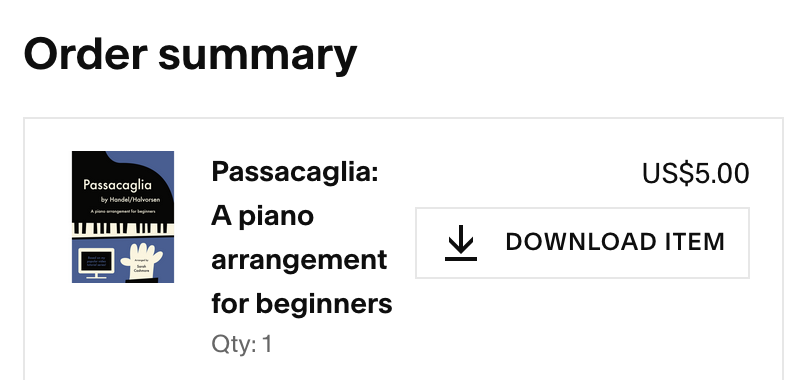
On your order page, a list of your purchases will appear with a “Download item” button next to each one. Click it, and your sheet music will download to your device.
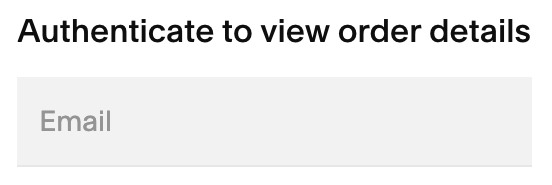
If the “Download item” button is greyed out and says “Authenticate to download,” the site just needs you to confirm your email address first. Add the email you used for this purchase to the email box (see pic below), and the Download button should appear.
If your files seem to be hiding from you, or if anything feels confusing or broken, just reach out through my Contact page!

Method 2: Through your Quick Download Email
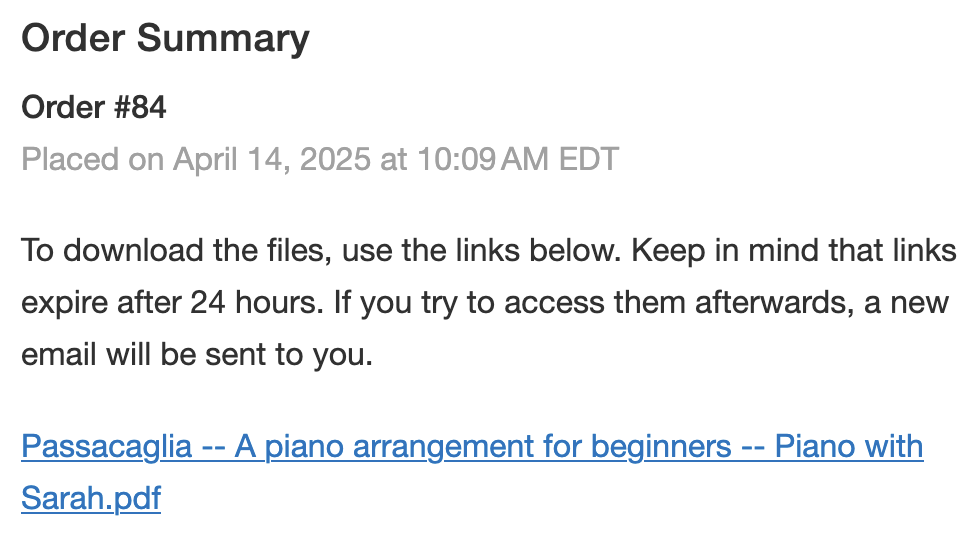
For your convenience, after your purchase you will also receive an email with quick access to your new files. The subject line will be: “Quick download links for Order #xxxx”.
This email contains temporary 24-hour download links that give you access to your files directly from your email.
After these links expire, please return to your Order Confirmation email (see Method 1) to access your files anytime!
Need more help?
If you ever get stuck, just contact me and I’ll make sure you can access your music!
Enjoy your music, and happy playing!
Warmly,
Sarah
Piano with Sarah